
Watching dramas online is one of the most popular ways to enjoy entertainment today. However, one of the most frustrating problems many users face is when the video simply does not play.
You click the video, wait for it to load, and nothing happens. Sometimes it shows a black screen, sometimes it keeps buffering, or sometimes you get an error message.
If you are dealing with this issue, you are not alone.
In this complete guide, you will learn all the possible reasons why videos do not play on drama streaming sites and how to fix them step by step.
Common Reasons Why Videos Are Not Playing
Before fixing the problem, it is important to understand what causes it. Most video playback issues come from a few common problems.
1. Slow Internet Connection
A weak or unstable internet connection is the most common reason videos fail to load or keep buffering.
2. Browser Problems
Your browser may be outdated, overloaded with extensions, or not compatible with the streaming site.
3. Server Issues
Sometimes the problem is not on your side. The streaming website server may be down or overloaded.
4. Blocked Content
Some videos are restricted in certain countries, which prevents them from playing.
5. Cache and Cookies Errors
Old cache files can break video playback and cause loading problems.
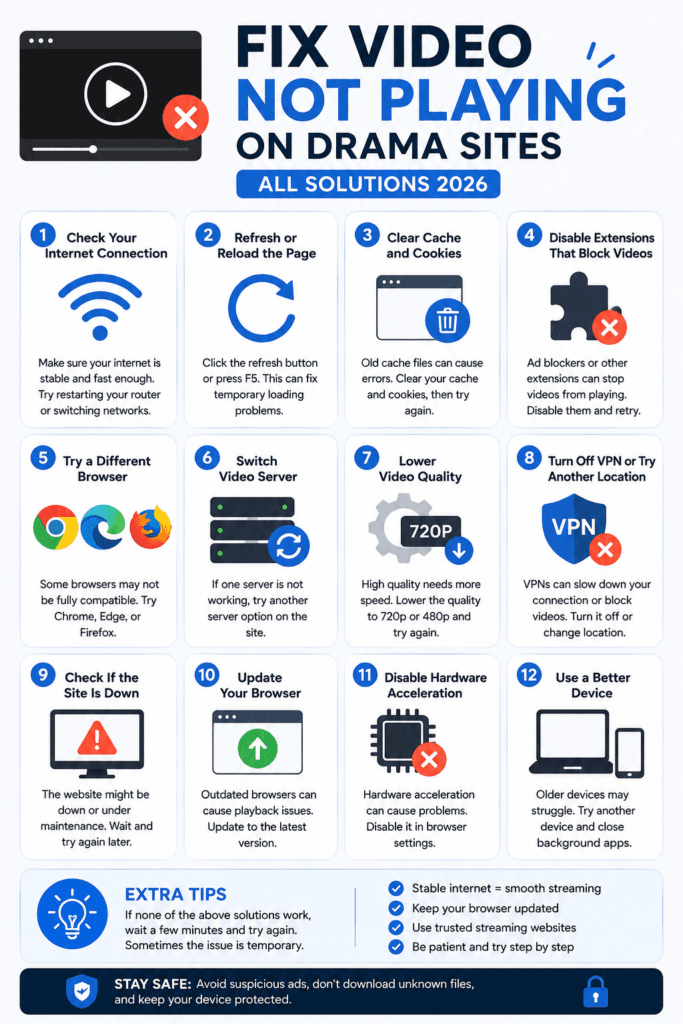
Step 1: Check Your Internet Connection
Start with the basics. Make sure your internet is stable.
What You Should Do:
- Restart your Wi-Fi router
- Switch from mobile data to Wi-Fi
- Move closer to your router
Quick Test:
Open another website like YouTube and play a video.
If it also loads slowly, your internet is the problem.
Step 2: Refresh or Reload the Page
Sometimes the simplest fix works.
Try This:
- Press F5 or reload the page
- Close the tab and reopen it
- Restart your browser
This can fix temporary loading errors or broken video players.
Step 3: Clear Browser Cache and Cookies
Cache files help websites load faster, but sometimes they cause problems.
How to Clear Cache (Chrome Example):
- Open browser settings
- Go to Privacy and Security
- Click “Clear browsing data”
- Select cache and cookies
- Click clear
After clearing cache, reload the drama site and try again.
Step 4: Disable Extensions That Block Videos
Some browser extensions can break video playback.
Common Problem Extensions:
- Ad blockers
- VPN extensions
- Security plugins
What to Do:
- Disable extensions one by one
- Reload the page after each test
If the video works after disabling one extension, you found the problem.
Step 5: Try a Different Browser
Not all browsers work the same with streaming websites.
Recommended Browsers:
- Google Chrome
- Microsoft Edge
- Firefox
If the video does not play in one browser, try opening it in another. This often fixes compatibility issues instantly.
Step 6: Switch Video Server
Most drama websites offer multiple servers.
What You Should Do:
- Look for server options (Server 1, Server 2, etc.)
- Switch to another server
Sometimes one server is down while others are working fine.
Step 7: Lower Video Quality
High-quality videos require more internet speed.
Solution:
- Change quality from 1080p to 720p or 480p
This reduces buffering and helps videos load faster, especially on slow internet connections.
Step 8: Turn Off VPN or Try Another Location
If you are using a VPN, it may slow down your connection or block the video.
Try This:
- Turn off your VPN
- Or switch to another server location
If the video starts working, the issue was related to your VPN.
Step 9: Check If the Site Is Down
Sometimes the streaming website itself is the problem.
Signs:
- All videos are not working
- Page loads but player is blank
What You Can Do:
- Wait and try again later
- Visit alternative websites
Step 10: Update Your Browser
Outdated browsers may not support modern video players.
Fix:
- Update your browser to the latest version
This ensures compatibility and better performance.
Step 11: Disable Hardware Acceleration
In some cases, hardware acceleration can cause video playback issues.
How to Fix:
- Go to browser settings
- Disable hardware acceleration
- Restart browser
This can fix black screen or freezing problems.
Step 12: Use a Better Device
Older devices may struggle to play modern video formats.
If Possible:
- Try another phone or computer
- Close background apps
This helps improve performance and video playback.
FAQ (Frequently Asked Questions)
Why is my video stuck on loading?
This usually happens due to slow internet or server problems. Lowering video quality often helps.
Why do I see a black screen?
This can be caused by browser issues or blocked scripts. Try switching browsers.
Why does the video play but no sound?
Check your device volume and browser permissions.
Why do videos stop after a few seconds?
This is often due to unstable internet or server overload.
Final Thoughts
Video not playing on drama sites is a common issue, but it is usually easy to fix if you follow the right steps.
Most of the time, the problem is related to internet speed, browser settings, or server issues. By checking each possible cause and applying the solutions in this guide, you can quickly get your videos working again.
Do not panic when a video fails to load. Instead, go through this checklist step by step.
In most cases, you will solve the problem within minutes and get back to watching your favorite dramas without interruption.
Start applying these fixes now and enjoy smooth streaming anytime.
