
Watching dramas with subtitles is essential for most viewers, especially when enjoying Korean, Chinese, or other Asian series. Subtitles help you understand the story, emotions, and dialogue without language barriers.
However, one of the most frustrating issues users face is when subtitles stop working.
You open your favorite drama, press play, and the video runs perfectly—but there are no subtitles. Sometimes they disappear, fail to load, or show incorrect timing.
If you are dealing with subtitles not working on drama sites, this complete guide will help you fix the problem step by step.
Why Subtitles Are Not Working
Before jumping into solutions, it is important to understand the possible causes.
Subtitles rely on separate files or servers. If something goes wrong, they may fail to display.
Common Causes:
- Server issues
- Subtitle file missing or corrupted
- Browser problems
- Incorrect settings
- Unsupported video player
Why Do Subtitles Suddenly Disappear While Watching?
Subtitles can disappear unexpectedly even in the middle of a video, and this usually happens due to temporary technical issues rather than a permanent problem.
One common reason is a connection interruption between the video player and the subtitle server. Since subtitles are often loaded separately from the video, even a small network glitch can cause them to stop displaying.
Another possible cause is a player error or bug. Sometimes the video continues playing smoothly, but the subtitle track fails to refresh or reload properly, causing it to vanish.
Subtitles may also disappear if the selected subtitle track becomes unavailable or corrupted during playback. This can happen when switching servers or when the site updates its content.
In some cases, browser extensions or background scripts may interfere with subtitle loading, especially if they block certain elements of the page.
Lastly, automatic quality or server switching can interrupt subtitle synchronization, making them disappear temporarily.
Understanding these causes can help you quickly identify the issue and apply the right fix.
Why Do Subtitles Not Show on Some Episodes but Work on Others?
This issue is quite common on many drama streaming sites and usually happens because subtitles are handled separately for each episode.
One major reason is that subtitle files may not be uploaded for every episode at the same time. Some episodes might have subtitles ready, while others are still being translated or processed, especially for newly released dramas.
Another cause is server inconsistency. Different episodes may be hosted on different servers, and not all servers have the same subtitle files available. As a result, subtitles may work perfectly on one episode but fail on another.
Subtitle file errors can also play a role. Some episodes may have corrupted or incorrectly formatted subtitle files, which prevents them from displaying properly even though the video plays without issues.
In addition, timing mismatches between the video and subtitle files can cause subtitles to disappear or fail to load. This often happens when the video version changes but the subtitle file is not updated accordingly.
Lastly, licensing or regional restrictions may affect subtitle availability. Certain episodes might have limited subtitle support depending on the platform or region you are accessing from.
Understanding these differences can help you identify why subtitles behave inconsistently and guide you toward the right solution, such as switching servers or waiting for updated subtitle files.
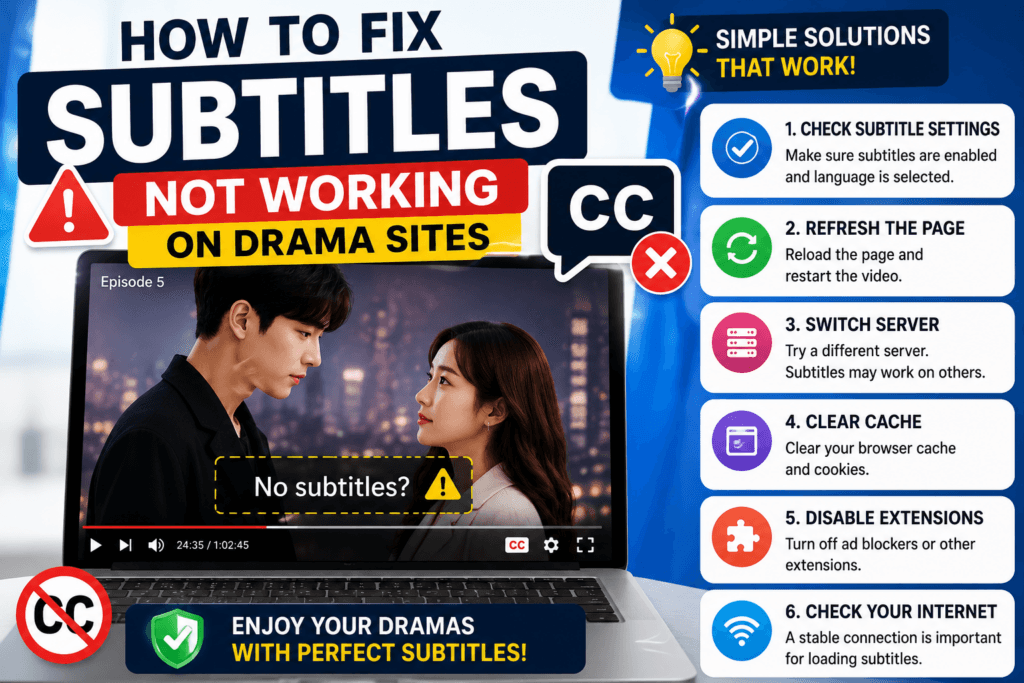
Step 1: Check If Subtitles Are Enabled
Sometimes the problem is simple.
What to Do:
- Click the “CC” or subtitle icon
- Select your preferred language
Many users forget to enable subtitles manually.
Step 2: Refresh the Page
Temporary glitches can prevent subtitles from loading.
Quick Fix:
- Press F5 or reload the page
- Restart the video
This often fixes minor issues instantly.
Step 3: Switch Subtitle Language
Sometimes one subtitle track may not work.
Solution:
- Change to another available language
- Switch back to your preferred language
This forces the player to reload subtitles.
Step 4: Change Video Server
Most drama sites provide multiple servers.
What to Do:
- Switch to another server
- Reload the video
Different servers may have different subtitle files.
Step 5: Clear Browser Cache
Old cache files can interfere with subtitle loading.
How to Fix:
- Go to browser settings
- Clear cache and cookies
After clearing, reload the site.
Step 6: Try a Different Browser
Browser compatibility issues can affect subtitles.
Recommended Browsers:
- Google Chrome
- Microsoft Edge
- Firefox
If subtitles do not work in one browser, try another.
Step 7: Disable Extensions
Some browser extensions block subtitle scripts.
Common Causes:
- Ad blockers
- Script blockers
- Privacy extensions
Fix:
- Disable extensions temporarily
- Reload the page
Step 8: Check Internet Connection
Subtitles may fail to load if your connection is unstable.
What to Do:
- Restart your router
- Switch to a stable network
Even if video plays, subtitles may need separate loading.
Step 9: Update Your Browser
Outdated browsers may not support subtitle features.
Solution:
- Update to the latest version
This improves compatibility with modern players.
Step 10: Use Official Streaming Apps
Unofficial sites often have subtitle problems.
Better Option:
- Use official apps with built-in subtitles
These platforms provide more reliable subtitle support.
Step 11: Check Subtitle Settings on Mobile
Mobile apps have different settings.
What to Do:
- Open subtitle settings in the app
- Adjust language and size
Incorrect settings may hide subtitles.
Step 12: Enable JavaScript
Some players require JavaScript to load subtitles.
Fix:
- Enable JavaScript in browser settings
Without it, subtitles may not appear.
Step 13: Wait and Try Again Later
Sometimes the issue is not on your side.
Reason:
- Server maintenance
- Temporary errors
Waiting a few minutes can solve the problem.
Step 14: Use External Subtitle Files (Advanced)
If subtitles are missing, you can use external files.
How It Works:
- Download subtitle file (.srt)
- Load it into the video player
This method works best for downloaded videos.
Step 15: Restart Your Device
Simple but effective.
Fix:
- Restart your phone or computer
This clears temporary system issues.
Common Mistakes to Avoid
Many users make small mistakes that cause subtitle problems.
Avoid These:
- Not enabling subtitles
- Using outdated browsers
- Ignoring server options
- Using too many extensions
FAQ (Frequently Asked Questions)
Why are subtitles missing but video works?
Subtitles are loaded separately and may fail due to server or file issues.
Why are subtitles out of sync?
This happens when subtitle timing does not match the video.
Can I fix subtitles on any site?
Not always, especially if the site does not provide subtitle support.
Which method works best?
Switching servers and refreshing the page usually solves most issues.
Final Thoughts
Subtitles not working can be frustrating, but in most cases, the problem is easy to fix.
By checking settings, switching servers, clearing cache, and using the right browser, you can quickly restore subtitles and enjoy your dramas without interruption.
If the issue continues, try alternative platforms or use external subtitle files.
Following these steps will help you solve subtitle problems efficiently and improve your overall streaming experience.
Start applying these solutions now and enjoy your favorite dramas with clear and accurate subtitles.
